
Inaccurate or missing paperwork isn’t just an annoyance. It’s a direct drain on your bottom line. Poor field service documentation leads to:
- Unplanned service appointments
- Costly compliance disputes
- Denied warranty claims
- Delayed invoicing
- And worse
It also frustrates technicians who just want to do their job without battling piles of paper or complicated forms.
This guide provides actionable strategies to fix your field service documentation process once and for all. We’ll cover how to implement standardized templates, automate reporting, and use mobile tools to ensure every job is correctly documented the first time.
Highlights
- Effective documentation is the vital link between field execution and office cash flow, ensuring you capture revenue, avoid costly legal disputes, and boost customer trust
- Relying on outdated paper methods often results in illegible handwriting and missing data, which you can solve using digital standardized templates
- Modern mobile tools enable technicians to quickly record proof of work through geotagged photos, automated timestamps, and voice-to-text
- Streamlining these workflows prevents revenue leakage and transforms administrative burdens into a competitive advantage
What is field service documentation, and why does it matter?
Field service documentation is the digital or paper record of every action your team takes outside the office. It serves as the official “proof of work” for installation, preventive maintenance, and repair jobs. It’s a critical part of:
- Managing service resources (resource management)
- Asset management
- Fraud protection
At its core, field service documentation encompasses every piece of data captured from the moment a technician arrives on site until they leave, including:
Documentation Type | Description |
Work orders and service tickets | Records detailing the scope of work, customer information, and job requirements |
Inspection reports and checklists | Standardized forms to verify equipment condition, safety compliance, or installation quality |
Parts and inventory usage | A log of consumed materials to ensure accurate supply chain management, billing, and inventory management |
Before/after photos and videos | Visual evidence proving the initial condition of the asset and the quality of the completed work |
Customer signatures and approvals | Digital or wet signatures, confirming delivered customer service |
Safety and compliance records | Documentation proving adherence to OSHA regulations and other standards |
Time logs | Accurate tracking of labor hours and equipment usage |
Notes and observations | Technician commentary on asset performance, potential future issues, or site access details |
The business impact of documentation quality
High-quality documentation links field work to the cash flow managed in the office. It directly impacts:
- Revenue cycle efficiency: Comprehensive records accelerate invoicing and ensure accurate billing for all time and materials, preventing payment disputes and chargebacks.
- Legal and compliance protection: A digital audit trail ensures regulatory adherence and verifies contract fulfillment, protecting your business from costly legal liability.
- Customer satisfaction: Transparent reporting builds trust by clearly demonstrating to clients the value of the work performed and enables a consistent on-site service experience.
- Operational and customer insights: Consistent data allows you to track KPIs and monitor service quality across your team.
Common field service documentation problems (and their costs)
Most field service managers face similar recurring challenges regarding paperwork. These issues might seem small individually, but they compound into operational headaches.
Problem #1: Incomplete or missing information
According to Gartner research, 25% of businesses lack a standardized system for documentation and field service management. Yet, without proper field service documentation workflows, it’s common for technicians to submit work orders with critical fields, such as customer signatures, left blank or with vague descriptions, like “fixed unit.”
This is often caused by:
- Cumbersome documentation processes
- Unclear documentation requirements
- High technicians workload
This problem can have serious consequences. For example, if an HVAC company fails to capture a model number photo, it may incur thousands in costs from a disputed warranty claim.

Problem #2: Illegible handwriting and lost paperwork
Coffee stains, torn edges, and bad handwriting are the enemies of efficiency. When office staff have to decipher scribbled notes or when forms go missing during the chaotic transfer between the job site and the office, the entire operation slows down.
This issue typically stems from outdated manual or paper-based systems, which are common in 35% of businesses, according to the same Gartner report cited above.
Problem #3: Delayed documentation submission
Technicians often retain paperwork and submit daily reports days or even weeks after the work is completed. Delayed documentation extends your billing cycle, directly impacting your cash flow. Furthermore, it results in poor customer communication, as clients must wait too long for their reports.
Additionally, technicians often rely on memory to complete the report at the end of the week, which can lead to inaccuracies.
This typically happens because of:
- Complex multi-step submission processes that are hard to do in the field
- The crushing burden of end-of-day data entry
- Lack of mobile documentation tools
Problem #4: Inconsistent documentation standards
Unless you standardize your field operations, every technician will document the job differently. They may use different terminology and varying levels of detail. One tech might take 20 photos, while another takes zero, making it impossible to compare jobs.
This often happens when you lack:
- Adequate training on field service management standards
- A quality review process for submitted work
- Standardized templates and checklists
Lack of standardization leads to significant quality control issues. It also makes it difficult to spot trends or recurring asset failures.
Problem #5: Poor photo documentation
While some people have a knack for taking amazing photos, many don’t. The result is blurry, poorly lit photos taken from angles that hide the actual work. To make matters worse, technicians often store images on their personal phones without organizing them, making them difficult to find later.
Without proper photo documentation, a solar installer may lose a liability claim for roof damage simply because the photos of existing damage were unclear. It’s why 60% of solar EPCs will spend an additional $475 to send a team back to a jobsite just to collect missing photos (source: Solar Power World).
10 practical tips to improve field service documentation
Improving documentation doesn’t mean adding more work for your crews. It means using better strategies and tools to make the right way the easy way. Here are 10 tips to get you started.
Tip #1: Create standardized templates and checklists
Standardization eliminates guesswork. Develop job-specific checklists for every type of service you offer.
For example, if you’re performing a solar site survey, ensure you use a template with fields for:
- Roof condition assessment
- Structural integrity checks
- Electrical systems check
- Shading analysis

These will guide technicians through the workflow and ensure they don’t skip critical checks.
SiteCapture enables you to easily build custom inspection forms using templates, saving time and ensuring accurate data capture. The proof is in the pudding: New Jersey-based PVPros saves over 4 hours in reporting time per visit using SiteCapture.
Tip #2: Implement mobile-first documentation
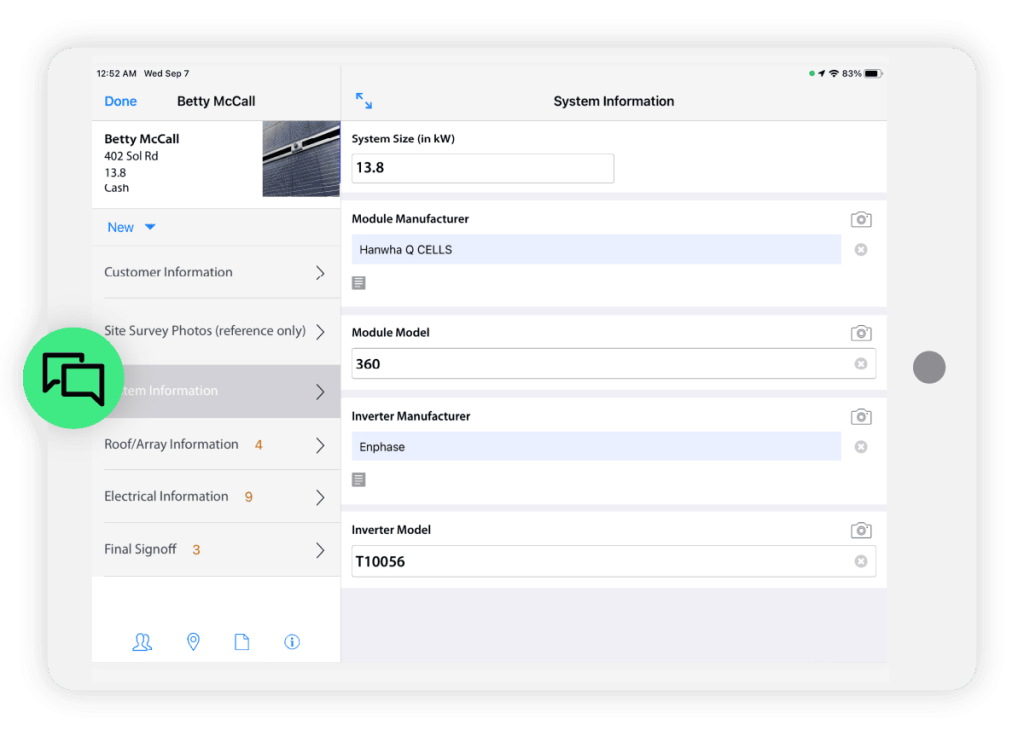
Improve accuracy by documenting in real time on a mobile device, not at the end of the day. Equip your team with a field service mobile app to complete forms, capture data, and collect signatures while on-site.
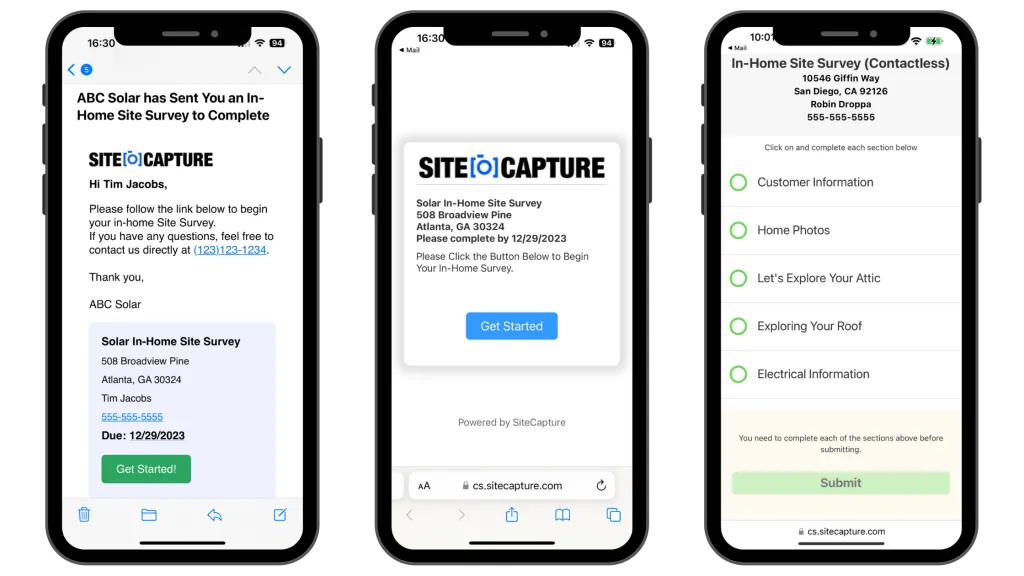
Crucially, ensure your software supports offline data capture for remote areas. This feature prevents data loss and eliminates the need for paper backups by operating fully offline and automatically syncing data to the cloud once connectivity is restored.
Tip #3: Use photo documentation standards
Photos are your best defense against liability, but they must be clear and informative. Establish strict requirements, such as:
- A minimum of three photos per job: before, during, and after
- Specific angles and reference objects for scale
- Geotagging and timestamping all photos
- Tag photos with customer accounts
- Avoiding backlighting
Also, use tools with annotation features so techs can draw directly on images to highlight issues.
Tip #4: Add GPS and timestamp automation
Entering times and customer locations manually is prone to error. Automating this process creates an unalterable audit trail that verifies exactly when and where work occurred. This is essential for accurate billing and resolving disputes.

SiteCapture automatically geo-tags and timestamps every photo and form submission. This provides immediate proof of service for contractor management and regulatory compliance without adding extra steps for your field crew.
Tip #5: Streamline customer communication
Transparency builds trust. Instead of making customers wait, configure your system to email service reports immediately upon job completion. These should include:
- Parts used
- Photos
- Notes
Real-time field communication with the office is also crucial for keeping all stakeholders informed.
Tip #6: Reduce required fields (but make them count)
If a form is too long, technicians will rush through it.
Audit your processes and cut out any fields that don’t provide direct value or compliance protection. Replace free-text boxes with dropdown menus to speed up entry and use smart defaults to pre-fill known data.
By reducing a 45-field form to an essential 20, you reduce technician fatigue and significantly increase the likelihood of getting accurate data every time.
Tip #7: Enable voice-to-text for notes
Typing on a tablet while wearing gloves is difficult. Voice-to-text is a high-impact solution. It allows technicians to record observations in seconds.
Encourage your team to use the microphone on their mobile keyboards for taking narrative notes and describing complex problems. It’s significantly faster than typing and produces more detailed, useful records of the service provided than hasty scribbles.

Pro tip: AI-powered voice-to-text tools like Wispr Flow don’t simply transcribe. They also clean the message and turn it into a high-impact, professional note.
Tip #8: Build in quality control checkpoints
Don’t wait for invoice disputes to find errors. Build validation rules directly into your digital forms to catch mistakes before the technician leaves.
For example, configure the system to prevent closing a job unless the customer’s signature is captured. You can also set logic for high-value work that triggers a remote supervisor review. This real-time control drastically reduces callbacks and administrative cleanup.
Tip #9: Create job-specific documentation workflows
A “one-size-fits-all” work order rarely works. Emergency repairs need speed, while safety inspections require methodical assessments. As part of work order management, create distinct form templates for each service offering to ensure technicians use the right tool.
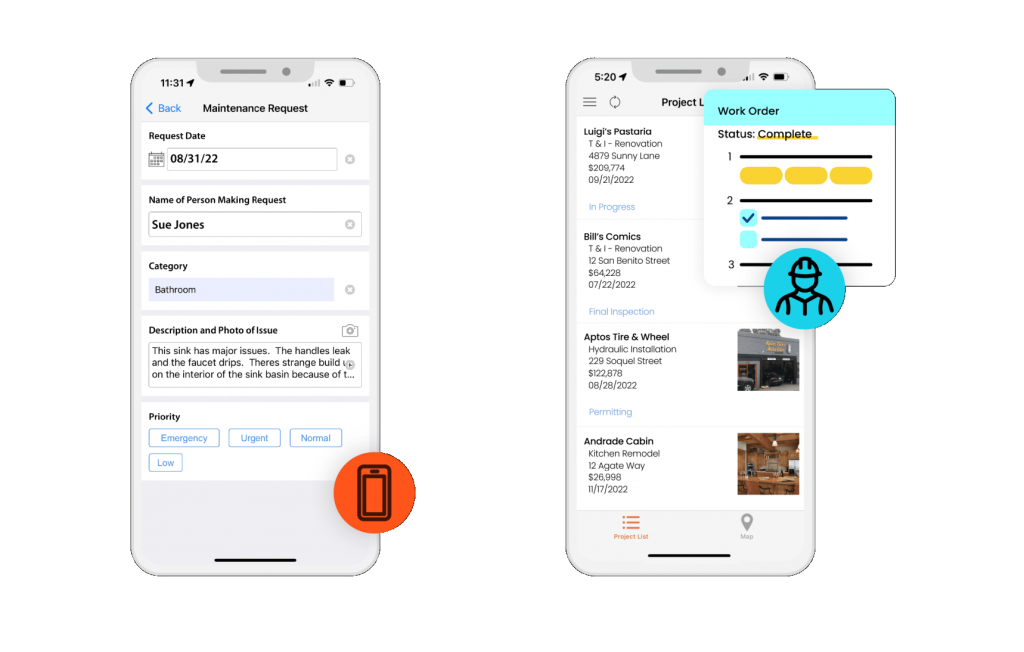
Tailoring the process prevents techs from skipping sections that “don’t apply” and ensures you capture specific data needed for that job type. This keeps your documentation relevant and your mobile workforce efficient.
Tip #10: Provide training and visual examples
A key to successful field service documentation is to define standards and ensure all team members know them. Create a simple “Quick Reference Guide” that shows side-by-side examples of good and bad documentation.
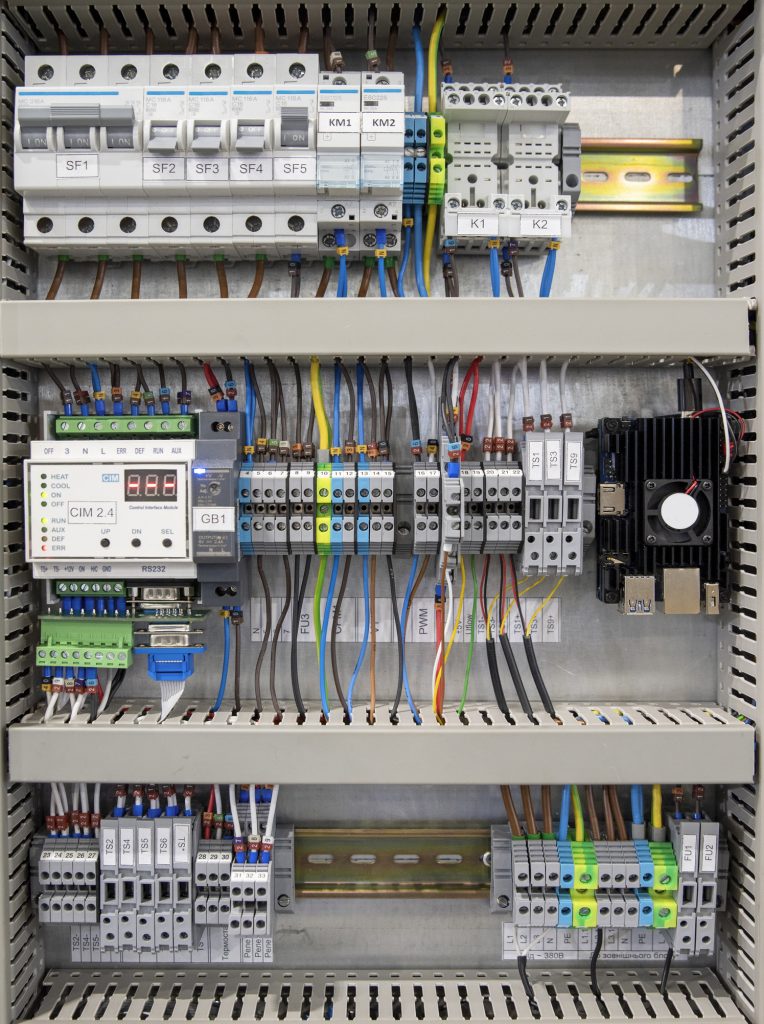

If a technician knows exactly what a clear serial number photo looks like, they’re more likely to provide one. Incorporate this into onboarding and showcase excellent reports during meetings to set a clear benchmark for the crew.
Must-have features in field documentation software
To implement these tips effectively, you need the right tools. Here are the essential field service documentation software features you should look for.
Mobile-first design
Your software must have native iOS and Android apps that work seamlessly in the field. Offline capability with automatic sync is non-negotiable for crews working in basements or remote sites. The interface should be responsive and fast-loading to respect your technicians’ time. SiteCapture is built mobile-first, ensuring your mobile agent has full functionality on any device.
Photo and video capture
Look for an in-app camera that offers annotation tools and automatic organization. Before/after comparison views and video recording are essential for complex procedures. SiteCapture allows users to capture and mark up photos directly within the workflow, automatically tagging them to the correct section of the report.
Digital forms and checklists
You need customizable templates that support conditional logic and smart fields. The ability to pre-populate customer asset data saves time and reduces errors. Also, a centralized system for preparing inspection checklists is ideal. It reduces preparation checklist time by 70% (source: Lulea University of Technology).
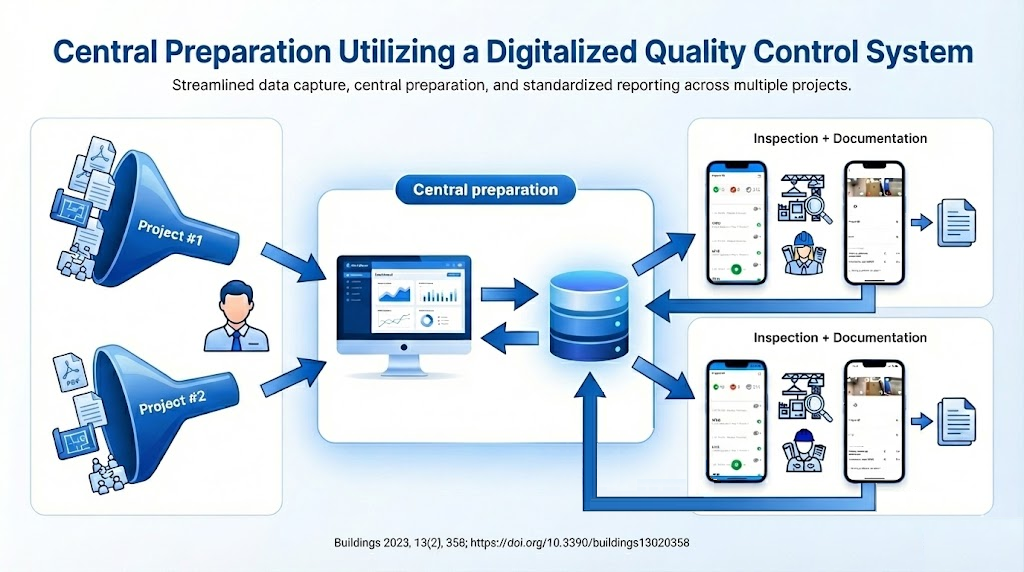
SiteCapture’s inspection forms builder makes it easy to create mandatory fields and complex logic without needing application developer training.
E-signature capture
Facilitate customer approval workflows with easy digital signature collection. This feature must comply with legal standards and include timestamped verification.
SiteCapture integrates with DocuSign to capture signatures directly in the mobile form, ensuring sign-off before the technician leaves.
Integration capabilities
Your documentation tool should not be an island. It needs to connect with work orders management systems, sync with accounting software, and share data with CRM platforms.
SiteCapture offers robust integrations (including API access) to push data to platforms such as Microsoft Dynamics 365 Field Service, Salesforce, and Google Drive.
Reporting and analytics
Automated report generation and customizable templates are vital for professional communication. You also need performance dashboards to track operational productivity.

SiteCapture allows you to generate custom PDF reports instantly and enables reporting and analytics to spot trends across your entire field service organization.
Turn field service documentation into your superpower
Poor field service documentation costs your business time, money, and customer trust. It leads to billing delays, lost disputes, and frustrated employees. However, by modernizing your approach, you can turn documentation from a burden into a competitive advantage.
Start by implementing standardized templates and mobile tools that simplify your technicians’ work. Focus on photo quality and automated workflows to ensure accuracy.
Ready to streamline your paperwork? See how SiteCapture simplifies field service documentation.