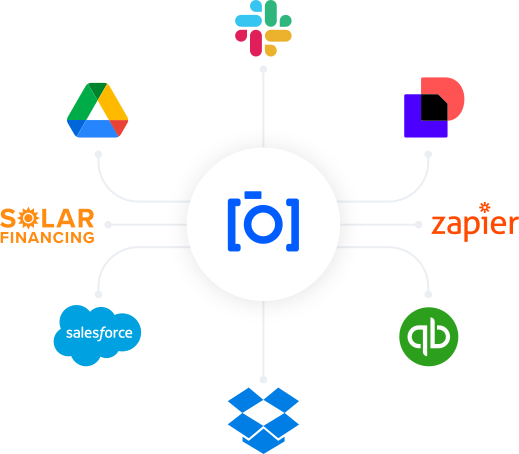
SiteCapture Integrations Overview

SiteCapture Integrations

SiteCapture seamlessly integrates with your team's systems to streamline documentation, reduce repetitive tasks, and improve efficiency. Whether you're automating photo uploads, organizing data, or syncing reports, SiteCapture integrations help you move faster, stay organized, and scale smarter.

Why Integrate with SiteCapture?

From project management and cloud storage to reporting and financing, SiteCapture ensures your data flows exactly where it needs to go—without extra steps or complexity.
Automate workflows to reduce manual tasks and errors
Customize your workflows with flexible, plug-and-play options
Centralize project data across your tech stack
Keep teams in sync with the tools they already use
Accelerate approvals, reporting, and closeout across departments

Native Integrations

Tie field documentation directly into your CRM. Sync job site photos, milestone reports, and project data to accounts and opportunities in Salesforce.

Use Case

Keep sales, ops, and finance aligned by linking project documentation to customer records and project stages.

SiteCapture integrates directly with Solar Financing Platforms to streamline milestone documentation for financing. Eliminate manual uploads and reduce delays in payment approvals.

Use Case

Automate financing documentation submissions with photo reports structured to meet exact funding milestone requirements.

Zapier Integrations

Connect SiteCapture to over 5,000+ apps without writing code. Automate photo transfers, report notifications, and project updates with tools like Slack, Trello, Airtable, and more.

Keep Teams Informed in Real Time

Connect SiteCapture with Slack to automatically notify your team when jobs are completed, reports are ready, or issues are flagged—no need to chase updates.

Use Case

  • Send automated Slack messages when field teams complete milestones or upload reports
  • Alert managers instantly if documentation is missing or fails QC
  • Share job photos directly in Slack channels for real-time review
Auto-Upload Site Docs to Drive

Automatically upload photos, reports, and project files from SiteCapture to your team’s shared Drive folders. Keep documentation secure, searchable, and easy to access across teams.

Use Case

Auto-sync job photos and reports from field crews into organized Google Drive folders for back office, permitting, or finance teams.

Automate Field-to-Inbox Communication

Use Gmail integrations (via Zapier or API) to auto-send emails from SiteCapture when key project milestones are reached, photos are uploaded, or reports are generated. 

Use Case

  • Email stakeholders with PDF reports once a site visit is completed
  • Trigger automated status updates or reminders based on job progress
  • Route issues or incomplete documentation alerts to internal teams
Streamline Sign-Offs and Closeouts

Integrate DocuSign to add e-signature workflows to your project documentation. This will allow teams to get faster approvals and sign-offs tied to field data and reports. 

Use Case

  • Automatically generate and send documents for signature after a milestone is completed
  • Capture customer or utility sign-off with attached documentation from SiteCapture
  • Track document status alongside project workflows to avoid delays

Keep Teams Informed in Real Time

Connect SiteCapture with Slack to automatically notify your team when jobs are completed, reports are ready, or issues are flagged—no need to chase updates.

Use Case

  • Send automated Slack messages when field teams complete milestones or upload reports
  • Alert managers instantly if documentation is missing or fails QC
  • Share job photos directly in Slack channels for real-time review
Auto-Upload Site Docs to Drive

Automatically upload photos, reports, and project files from SiteCapture to your team’s shared Drive folders. Keep documentation secure, searchable, and easy to access across teams.

Use Case

Auto-sync job photos and reports from field crews into organized Google Drive folders for back office, permitting, or finance teams.

Automate Field-to-Inbox Communication

Use Gmail integrations (via Zapier or API) to auto-send emails from SiteCapture when key project milestones are reached, photos are uploaded, or reports are generated. 

Use Case

  • Email stakeholders with PDF reports once a site visit is completed
  • Trigger automated status updates or reminders based on job progress
  • Route issues or incomplete documentation alerts to internal teams
Streamline Sign-Offs and Closeouts

Integrate DocuSign to add e-signature workflows to your project documentation. This will allow teams to get faster approvals and sign-offs tied to field data and reports. 

Use Case

  • Automatically generate and send documents for signature after a milestone is completed
  • Capture customer or utility sign-off with attached documentation from SiteCapture
  • Track document status alongside project workflows to avoid delays

API Integrations

SiteCapture’s powerful RESTful API lets you connect directly with your internal systems and build tailored workflows that fit your business. Whether you’re pushing project data to a dashboard, pulling real-time updates into your CRM, or integrating with proprietary software, our API supports seamless, secure data exchange.

  • Full access to job, project, and photo data
  • Custom webhook support for real-time data sync
  • Secure authentication and permissioning
  • Scalable to any team size or platform architecture

Built for Connected Field Operations

SiteCapture is designed to be interoperable with your existing systems—so your teams don’t need to change how they work, just work smarter.
Fast setup and easy configuration
No custom dev work required
Scalable for any team size or complexity

Let’s Build Your Integrated Field Operations Workflow

See how SiteCapture can fit seamlessly into your tech stack. Our team will show you how to streamline your workflow, automate photo and data management, and deliver faster, more organized results.

Search our blog

Lorem ipsum dolor sit amet, consectetur adipiscing elit. Ut elit tellus, luctus nec ullamcorper mattis, pulvinar dapibus leo.